MCP / UCP integration quickstart
This guide walks through the complete AIGW integration from the perspective of the people who actually have to build it. It deliberately crosses organizational boundaries: some steps belong to the MCPMCPModel Context Protocol: a standard way for AI agents to call tools and data sources exposed by a server./UCP operator, some to the merchant IAM administrator, and some to the agent developer.
What you are building
At the end of this guide, an agent can call an MCP/UCP service on behalf of a user without receiving the merchant's credentials directly.
The Playground runs this whole flow against AIGW in your browser and shows every request and response.
The agent receives an AIGW access tokenAIGW access tokenThe token an agent receives after the user authorizes it. It says which user approved which agent for which scopes.. The MCP/UCP service uses AIGW to obtain the merchant access tokenMerchant access tokenA token issued by the merchant's own authorization server. Only the MCP/UCP service sees it, never the agent. it needs for the downstream merchant API. The merchant token is not exposed to the agent.
Who does what?
| Role | Responsibility in this guide |
|---|---|
| MCP/UCP operator | Creates the AIGW account/project/resource, protects the MCP/UCP endpoint, stores server credentials, and calls the merchant API. |
| Merchant IAM administrator | Configures the merchant Authorization Server to trust AIGW and accept the user/client assertions AIGW sends. |
| Agent developer | Handles the 401, discovers AIGW, registers the agent client, obtains user authorization, and retries the MCP/UCP request with an AIGW token. |
| AIGW | Connects agent identity, user authentication/authorization, and the merchant's authorization system. |
If the merchant operates its own MCP/UCP service, the MCP/UCP operator and merchant are the same organization. If a third party provides the MCP/UCP service, that provider normally performs the AIGW/MCP steps and hands the merchant the IAM configuration it needs.
Part 1 — MCP/UCP operator: configure AIGW
Step 1 — Create or select an AIGW Account
Role: MCP/UCP operator
An AccountAccountThe top-level AIGW tenant. It owns Projects, team membership, enabled identity providers, billing, and API keys. is the top-level AIGW tenant. It owns ProjectsProjectThe isolation boundary for an integration. It holds Resources, agents and agent policy, end users, and Proxy clients. and account-level settings. Use an existing Account if your organization already has one; otherwise create one.
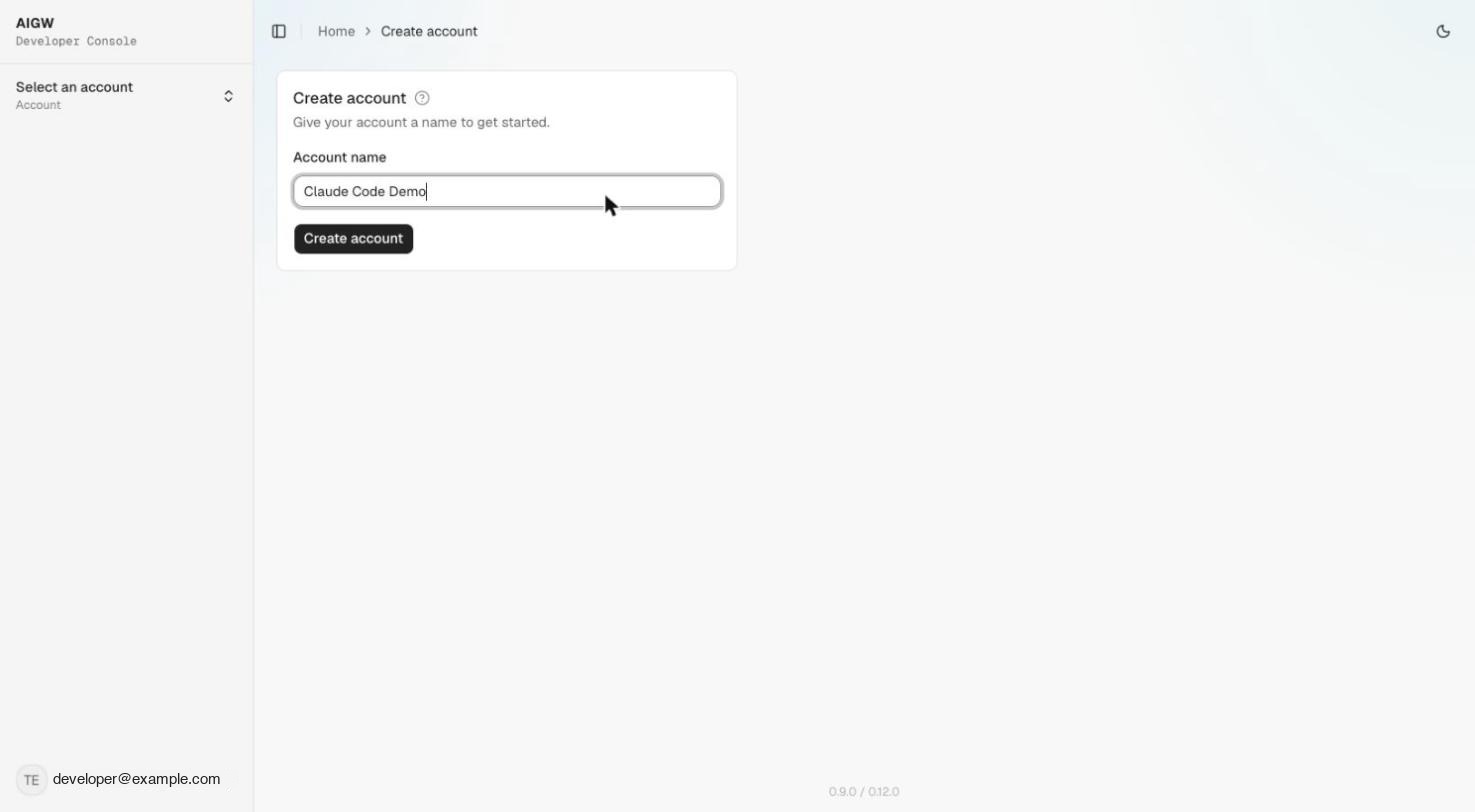
Information you provide
| Input | What it is | Where to get it / how to choose it | How it is used |
|---|---|---|---|
| Account name | Human-readable name for the organization operating AIGW | Choose a recognizable organization or business-unit name | Identifies the tenant in the AIGW Console |
After this step: you can create Projects inside the Account.
Step 2 — Create a Project
Role: MCP/UCP operator
A Project is the main isolation boundary for an integration. ResourcesResourceThe downstream system registered in a Project. Its kind (Token exchange or OAuth client) decides the role AIGW plays., approved agents, end usersEnd userA person an agent has acted on behalf of at a Project's Resources, as listed in the AIGW Console., and Proxy clientsProxy clientThe server-side credential (client ID and secret) the MCP/UCP service uses to authenticate itself to AIGW. Never give it to an agent. belong to a Project. The user AIGW token and Proxy tokenProxy tokenA short-lived token the MCP/UCP service gets with its Proxy client, sent as X-Proxy-Token when redeeming a merchant token. used during credential redemptionCredential redemptionPOST /api/credentials/token: the MCP/UCP service trades the user's AIGW token plus its Proxy token for the merchant access token. must belong to the same Project.
Go to Project Management → New Project.
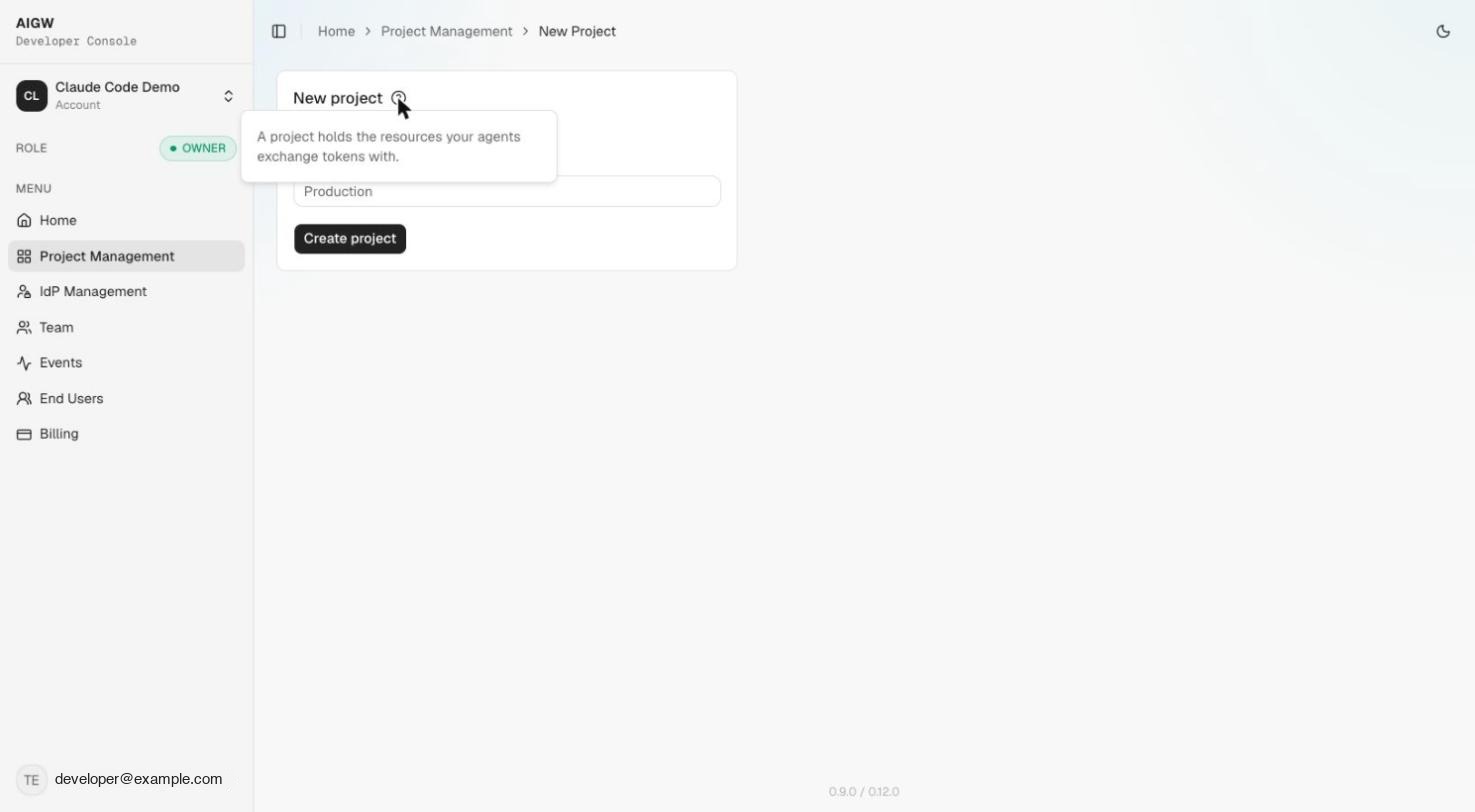
Information you provide
| Input | What it is | Where to get it / how to choose it | How it is used |
|---|---|---|---|
| Project name | Human-readable integration/environment name | Choose a name such as Acme MCP - Production | Helps operators identify the integration and its environment |
AIGW gives you
| Output | What it is | What you do with it |
|---|---|---|
| Project | Container for the integration | Use its Resources, Agents, End Users, and Proxy clients throughout the rest of the setup |
| Project ID | Internal identifier for the Project | Keep it for debugging/API references when required; normal Console setup does not require you to invent it |
Step 3 — Register the merchant Resource
Role: MCP/UCP operator
A Resource tells AIGW what system is being protected and how AIGW participates in its authorization flow.
Go to Project → Resources → Register resource. The Token exchange wizard has four steps: Identity & endpoint → Authentication → Exchange & scopes → Reference.
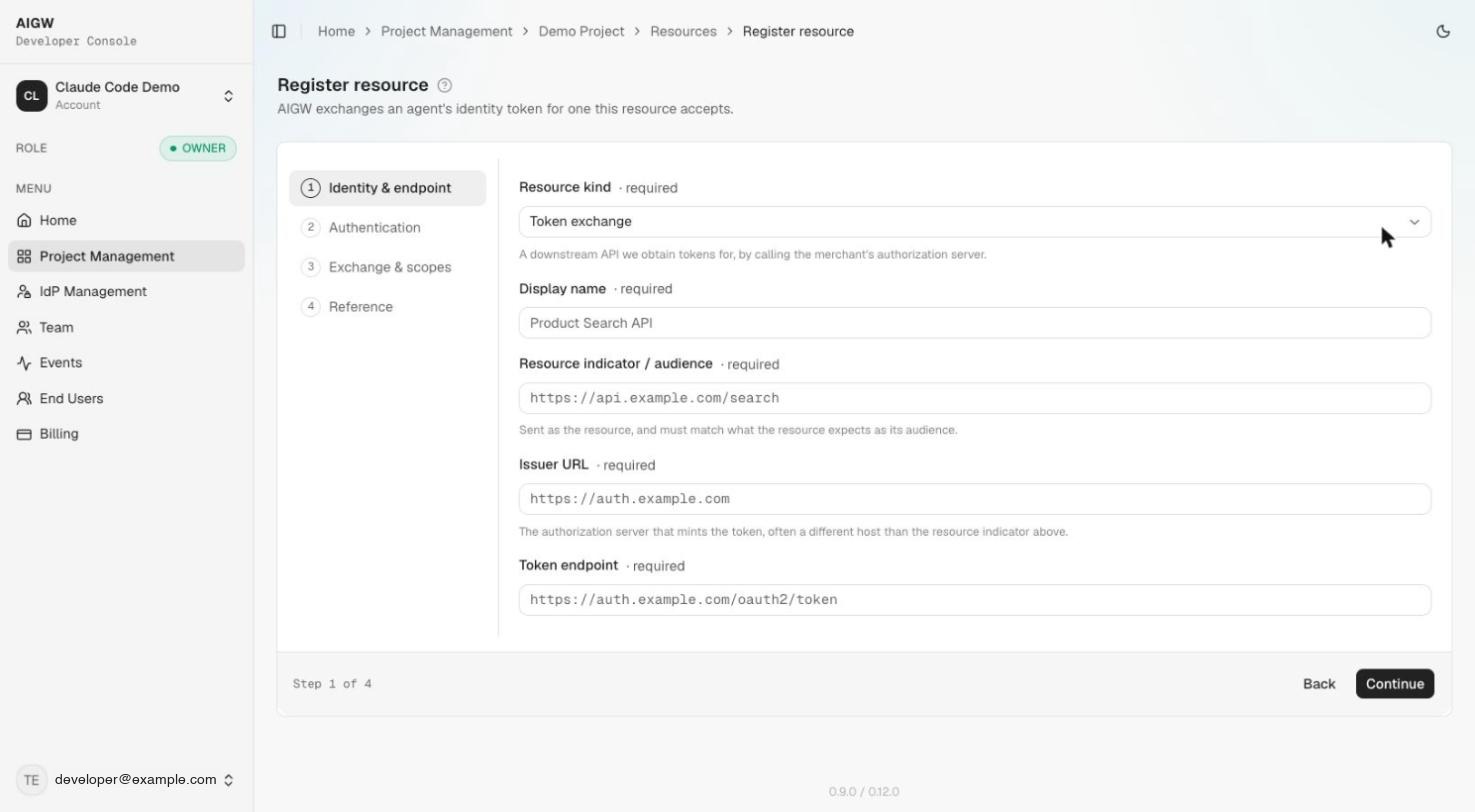
Choose the Resource kind
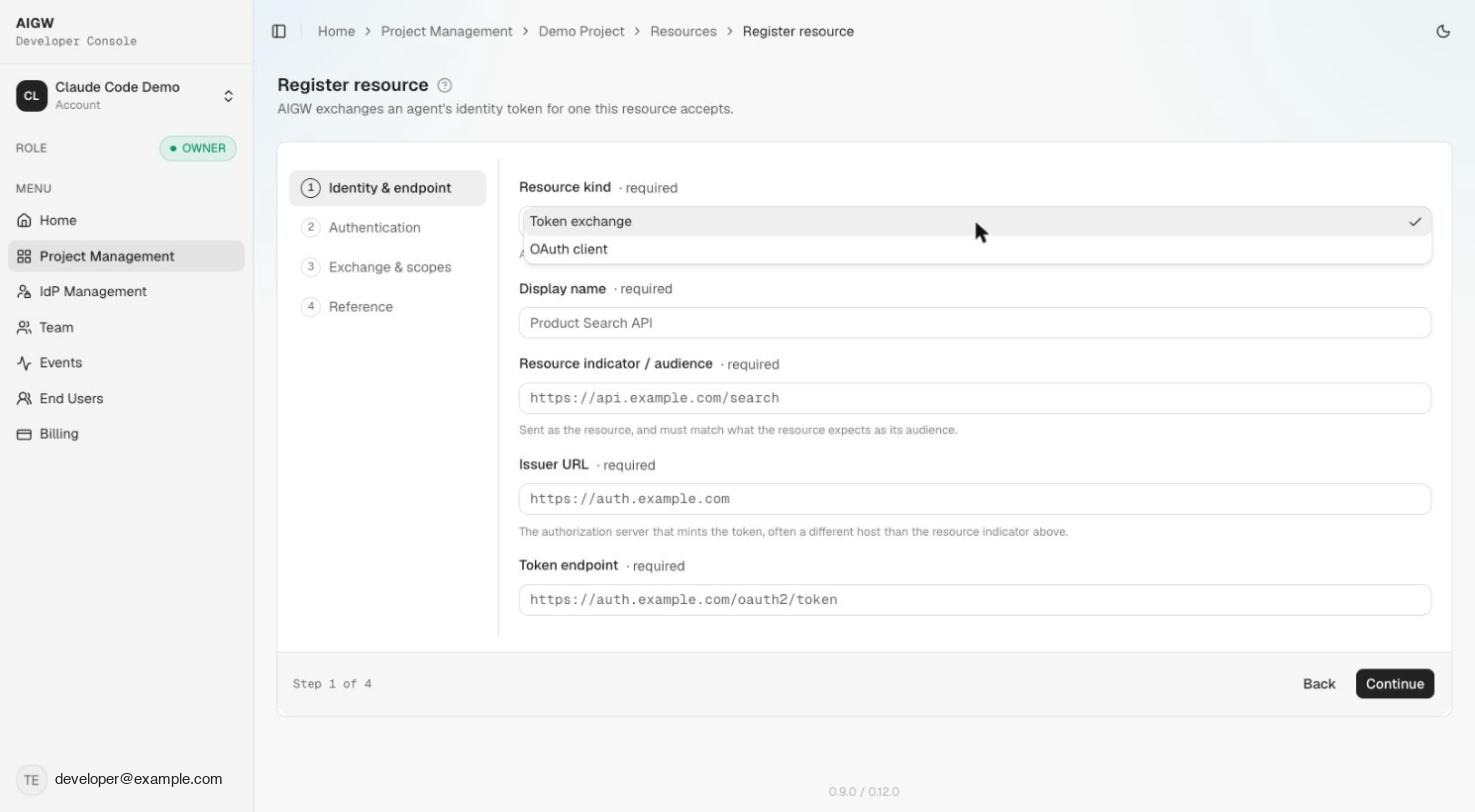
AIGW currently exposes two Resource kinds:
| Resource kind | Use it when | AIGW's role |
|---|---|---|
| Token exchange | An agent accesses an MCP/UCP or merchant service on behalf of a user | AIGW authenticates/authorizes the user and obtains a merchant access token that the MCP/UCP service can use downstream |
| OAuth client | A traditional application wants to sign in a human through AIGW | AIGW acts as the application's IdP/authorization service and issues the application its OAuth/OIDC client configuration |
For the agent/MCP/UCP scenario in this guide, choose Token exchange.
If you are integrating a traditional application that uses AIGW as its IdP for human sign-in, choose OAuth client instead. See Resources.
Configure the Token exchange Resource
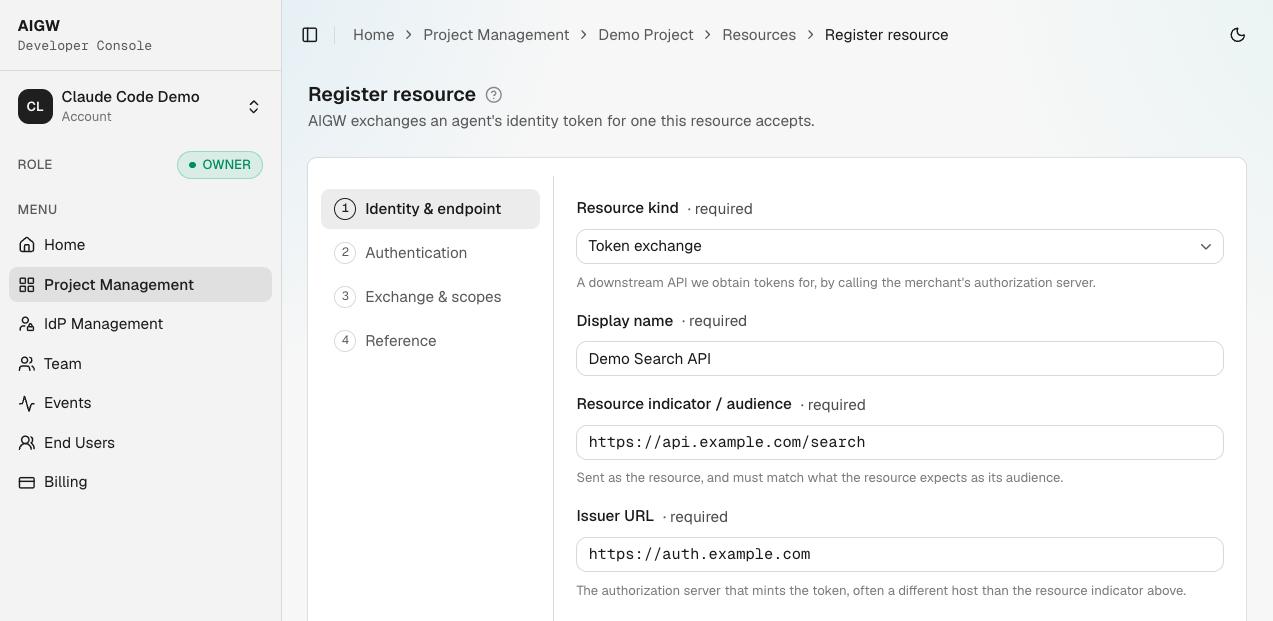
You will need information from the merchant's API/IAM team. Do not guess these values.
| Input | What it is | Where to get it | How AIGW uses it |
|---|---|---|---|
| Display name | Friendly name for this merchant/API | Choose it yourself, e.g. Acme | Console display only |
| Resource indicator / audience | Exact identifier for the protected merchant resource | Merchant API/IAM owner | Identifies which downstream Resource token the MCP/UCP service is requesting |
| Issuer URL | Issuer of the merchant Authorization Server | Merchant's OAuth/OIDC metadata or IAM administrator | Identifies the merchant AS AIGW communicates with |
| Token endpoint | OAuth token endpoint of the merchant AS | Merchant OAuth/OIDC metadata or IAM administrator | AIGW sends the configured grant/exchange here |
| Client ID | Client identity representing AIGW at the merchant AS | Create/register the AIGW client in the merchant IAM, then copy its ID | Identifies AIGW to the merchant AS |
| Client authentication | How AIGW authenticates/obtains the downstream token: private_key_jwt, client_secret_basic, or token_exchange | Must match the merchant AS configuration | Determines the grant/assertion format AIGW sends |
| Identity providers (optional) | How the end user signs in | Account-enabled IdPs | Shown on the AIGW sign-in page |
| Scopes | Permissions requested from the merchant AS | Merchant API/IAM owner | Become the permissions requested for downstream access |
The Resource is created when you click Continue on step 3; AIGW generates its first signing keySigning keyA per-Resource ES256 key AIGW uses to sign assertions sent to the merchant authorization server, published at the Resource JWKS URL. automatically.
For the detailed authentication-method choices and current implementation support, continue with Configure AIGW.
Step 4 — Save the AIGW trust information
Role: MCP/UCP operator
After the Resource is created, AIGW shows a Reference screenReference screenThe last step of Resource registration, listing the values to hand to the merchant IAM team and to agent developers.. These are not decorative values: they are the information other participants use to integrate with this Resource.
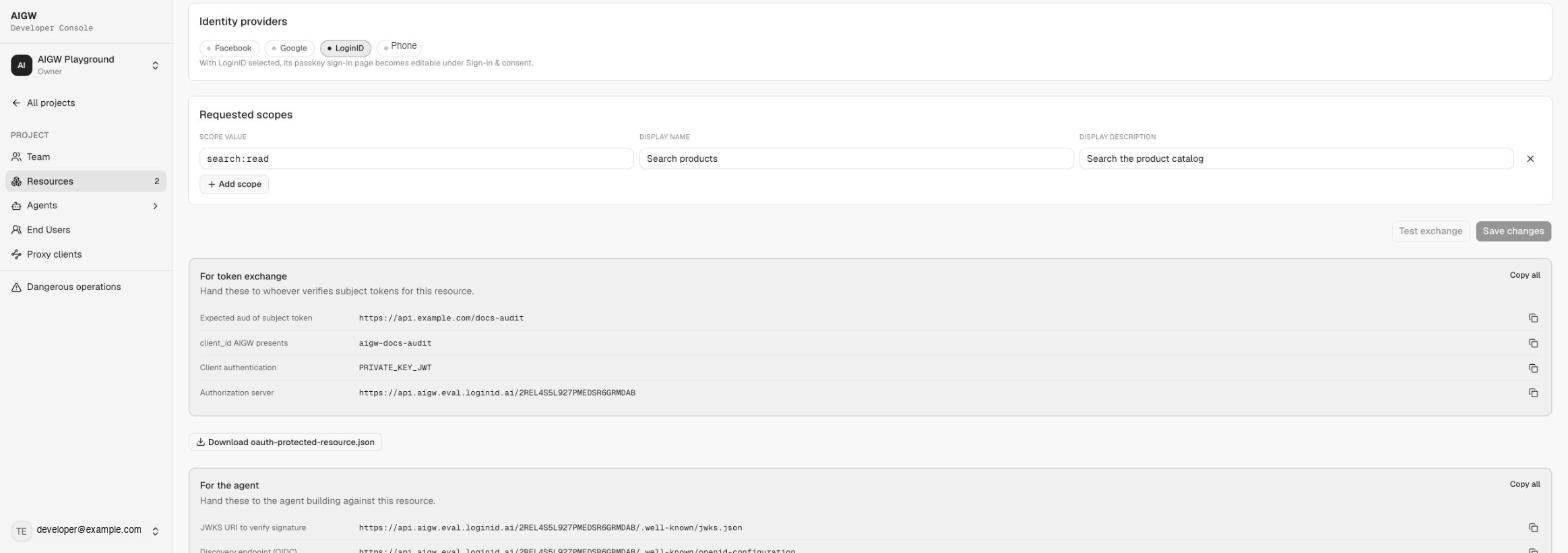
AIGW gives you
| Output | Reference group | Who needs it / how it is used |
|---|---|---|
| Authorization server (per-resource AIGW issuer) | For token exchange | Agent uses it for OAuth discovery; merchant AS uses the issuer when validating AIGW assertions |
Expected aud, client_id AIGW presents, Client authentication | For token exchange | Merchant IAM configures the AIGW client with exactly these values |
oauth-protected-resource.json download | For token exchange | Starting point for your Protected Resource Metadata (Step 7) |
| JWKS URI | For the agent | Per-resource public keys; merchant IAM configures this as the trusted key source |
| Discovery, authorization, and token endpoints | For the agent | Agent developer uses them (normally via discovery) |
If another team/company manages the merchant Authorization Server, send them the AIGW issuer/JWKS information, the agreed Client ID and scopes, and the Merchant Authorization Server guide.
Part 2 — Merchant IAM administrator: trust AIGW
Step 5 — Configure the merchant Authorization Server
Role: Merchant IAM administrator
The merchant Authorization Server must accept the request AIGW makes on behalf of the authorized user. This is where the values from the previous step are consumed.
The merchant IAM administrator needs to know:
| Information | Comes from | Why it is needed |
|---|---|---|
| AIGW per-resource issuer | AIGW Resource Reference | Identifies the trusted issuer of the AIGW user assertion |
| AIGW JWKS URL | AIGW Resource Reference | Lets the merchant AS verify AIGW signatures |
| AIGW Client ID | Merchant IAM client registration + matching AIGW Resource config | Identifies AIGW as a client |
| Requested scopes | Merchant API/IAM policy | Defines what the resulting merchant token may authorize |
| User mapping rule | Merchant identity model | Determines how the AIGW user assertion maps to an existing merchant user |
For Keycloak, follow the screenshot-backed Keycloak guide. For another OAuth AS, use Generic OAuth AS requirements.
After this step: the merchant AS should be able to validate AIGW and issue the downstream merchant credential when the configured user/client requirements are satisfied.
Part 3 — MCP/UCP operator: protect the server
Step 6 — Create the MCP/UCP server credential
Role: MCP/UCP operator
Open Project → Proxy clients → Generate new client.
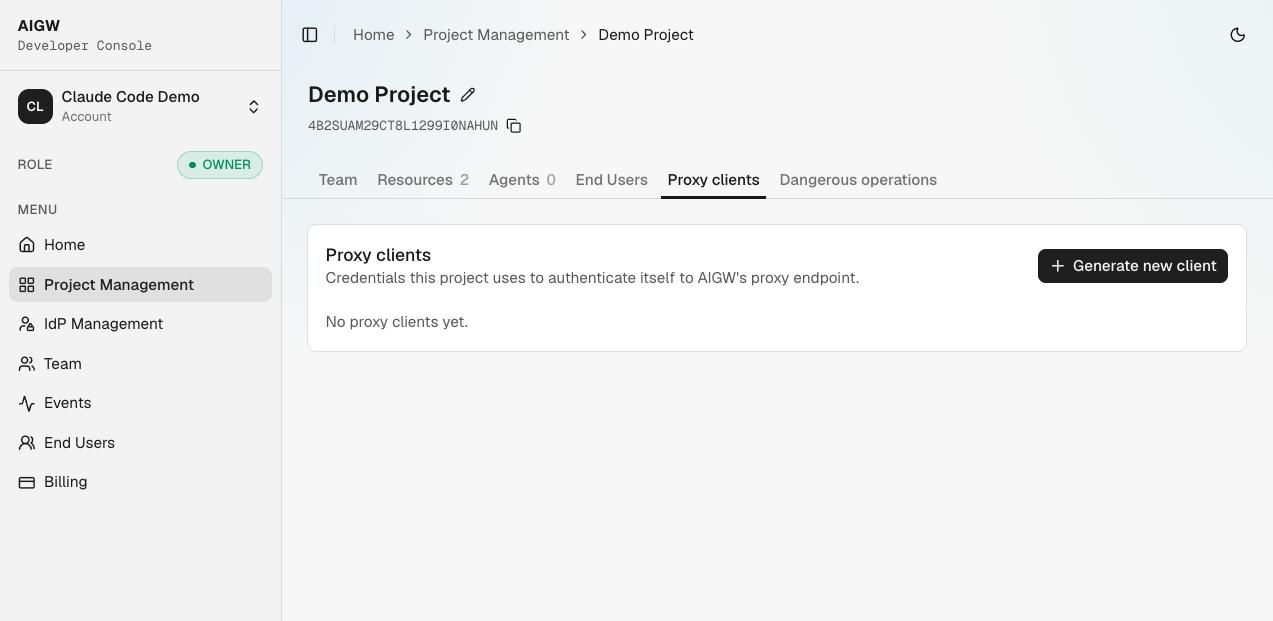
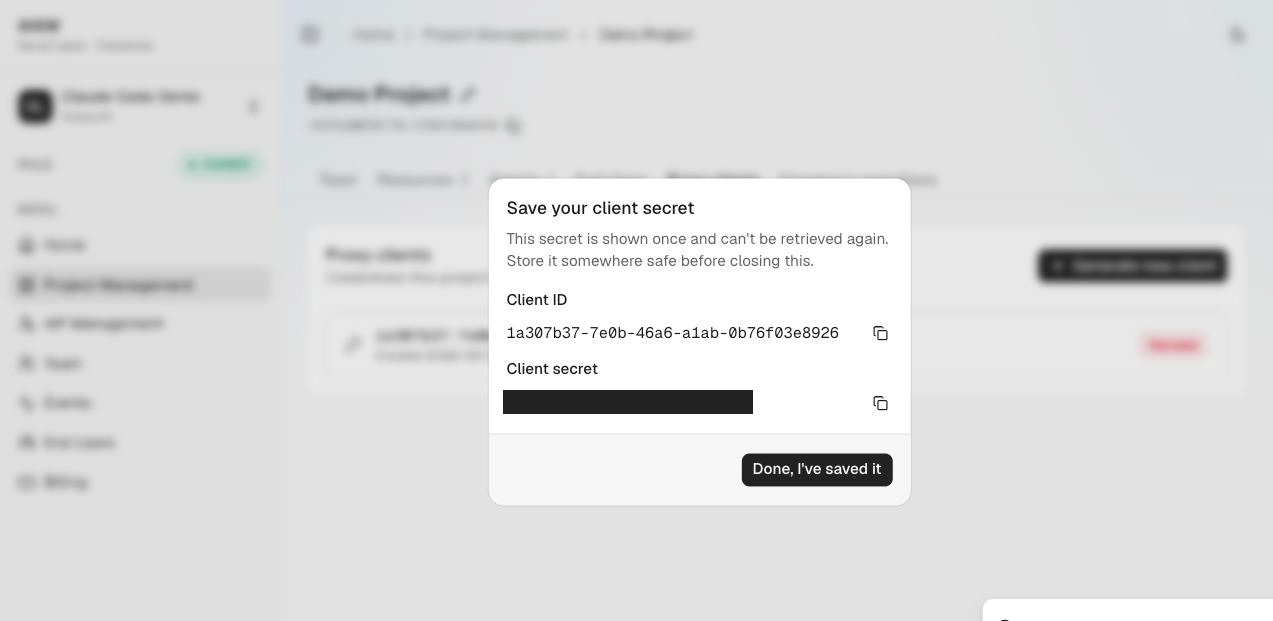
The ConsoleAIGW ConsoleThe AIGW developer dashboard (DevCon) where you manage Accounts, Projects, Resources, agents, and policies. currently calls this a Proxy client. It is a machine credential used by your MCP/UCP backend to authenticate to AIGW.
The Proxy client is not an agent credential and must never be exposed to the browser or the user.
AIGW gives you
| Output | What it is | Where to store it | How it is used |
|---|---|---|---|
| Proxy Client ID | Server-side OAuth client identifier | MCP/UCP server secret/config store | Sent with the Proxy Client Secret to AIGW's token endpoint |
| Proxy Client Secret | Server-side secret | Secret manager/environment variable; save it when shown | Authenticates the MCP/UCP server when obtaining a Proxy token |
Example server configuration:
AIGW_PROXY_CLIENT_ID=...
AIGW_PROXY_CLIENT_SECRET=...
Step 6b — Decide how new agents are approved
Role: MCP/UCP operator
Open Project → Agents → Approval rulesApproval rulesThe part of Agent policy that sets Approve, Hold, or Reject for unverified agents and for each kind of agent proof.. With no rules, the system default approves every agent automatically. If you want to review agents before they can use the Resource, set the relevant rules to Hold so new agents land in Agents → Pending. See Agent policy.
Step 7 — Publish Protected Resource Metadata
Role: MCP/UCP operator
When an agent reaches your protected MCP/UCP endpoint, it needs a standard way to discover who can authorize access. Publish OAuth Protected Resource MetadataProtected Resource MetadataAn RFC 9728 document an MCP/UCP service publishes to tell agents which authorization server protects it. and point it at the AIGW authorization server for this Resource. You can start from the Download oauth-protected-resource.json file on the Resource Reference screen.
{
  "resource": "https://mcp.example.com",
  "authorization_servers": [
    "https://api.aigw.eval.loginid.ai/<RESOURCE_ID>"
  ]
}
| Property | What it means | Where the value comes from |
|---|---|---|
resource | Identifier/URL for your protected MCP/UCP service | Your own MCP/UCP deployment URL |
authorization_servers | Authorization server(s) allowed to authorize access | Use the per-resource AIGW Authorization Server URL from the Resource Reference screen |
Publish it at a stable HTTPS URL, commonly:
https://mcp.example.com/.well-known/oauth-protected-resource
Step 8 — Return 401 to an unauthorized agent
Role: MCP/UCP operator
When a request does not contain an acceptable AIGW access token, return a challenge that tells the agent where the Protected Resource Metadata lives.
HTTP/1.1 401 Unauthorized
WWW-Authenticate: Bearer resource_metadata="https://mcp.example.com/.well-known/oauth-protected-resource"
| Value | What it is | How the agent uses it |
|---|---|---|
401 Unauthorized | Signals that authorization is required | Starts the authorization/discovery path |
resource_metadata | URL of your Protected Resource Metadata | Agent fetches it to discover the AIGW Authorization Server |
Part 4 — Agent developer: obtain user authorization
Step 9 — Discover AIGW
Role: Agent developer
The agent reads resource_metadata, fetches the Protected Resource Metadata, then discovers the AIGW OAuth metadata for the returned Authorization Server.
The discovery metadata tells the agent where to register, authorize, and exchange the authorization code. See Discover authentication for the exact sequence.
Step 10 — Register the agent client
Role: Agent developer
The agent uses AIGW Dynamic Client Registration (DCRDCRDynamic Client Registration (RFC 7591): an agent registers itself as an OAuth client at runtime, with no manual setup.) to obtain a client identity for the OAuth flow. See Register with AIGW.
The registration response provides the values the agent needs for the next step, including its client identifier and registered redirect URI/client configuration. The Project's Agent policy then gives the agent its first status (Approved by default).
Step 11 — Request authorization
Role: Agent developer
Start Authorization Code + PKCEPKCEProof Key for Code Exchange: binds an authorization request to the later code exchange so a stolen code is useless. using the endpoints discovered from AIGW. The user is redirected to AIGW, authenticates, and reviews/approves the requested access.
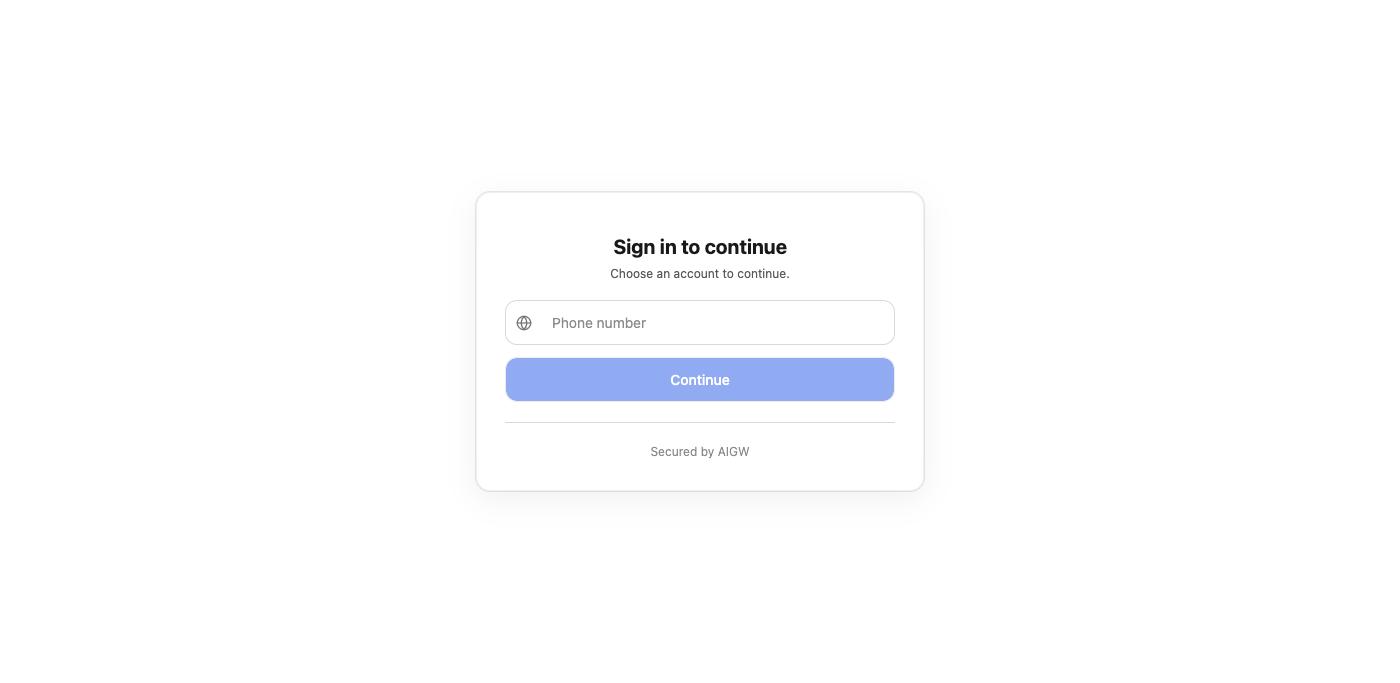
The important inputs are:
| Input | Comes from | Purpose |
|---|---|---|
client_id | DCR response | Identifies the agent OAuth client |
redirect_uri | Agent registration | Where AIGW returns the authorization response |
scope | AIGW Resource/discovery configuration | Describes requested access |
| PKCE challenge | Generated by the agent | Binds the authorization request to the later code exchange |
state | Generated by the agent | Correlates and protects the callback flow |
Step 12 — Handle callback and obtain the AIGW access token
Role: Agent developer
After approval, AIGW redirects to the registered callback with an authorization code and the original state. Validate state, then exchange the code at the AIGW token endpoint using the PKCE verifier.
The result is the AIGW access token the agent presents to the MCP/UCP service. It is not the merchant access token.
See Handle callback for the detailed request/response flow.
Part 5 — MCP/UCP operator: call the merchant
Step 13 — Accept the authorized retry
Role: MCP/UCP operator
The agent retries the MCP/UCP request with the AIGW token:
POST /mcp HTTP/1.1
Host: mcp.example.com
Authorization: Bearer <AIGW_ACCESS_TOKEN>
AIGW_ACCESS_TOKEN comes from the agent's code exchange in Step 12. The MCP/UCP service uses it as the user-side credential when asking AIGW for the downstream merchant credential.
Step 14 — Obtain a Proxy token
Role: MCP/UCP operator
Your backend authenticates to AIGW using the Proxy Client ID and Secret created in Step 6:
POST https://core.api.aigw.eval.loginid.ai/oauth2/token
Authorization: Basic base64(<PROXY_CLIENT_ID>:<PROXY_CLIENT_SECRET>)
Content-Type: application/x-www-form-urlencoded

grant_type=client_credentials
| Value | Comes from | Purpose |
|---|---|---|
| Proxy Client ID | Step 6 | Identifies the MCP/UCP backend |
| Proxy Client Secret | Step 6 | Authenticates that backend |
| Proxy token | This response | Proves the MCP/UCP server identity to the credential-redemption endpoint |
Step 15 — Obtain the merchant access token through AIGW
Role: MCP/UCP operator
Call the AIGW credential endpoint with both sides of the authorization context: the user's AIGW token and the MCP/UCP server's Proxy token.
POST https://api.aigw.eval.loginid.ai/api/credentials/token
Authorization: Bearer <AIGW_ACCESS_TOKEN>
X-Proxy-Token: <PROXY_TOKEN>
Content-Type: application/json

{"resource":"https://api.example.com/search"}
| Input | Comes from | What it tells AIGW |
|---|---|---|
Authorization: Bearer <AIGW_ACCESS_TOKEN> | Agent request, Step 13 | Which authorized user/agent context is making the request |
X-Proxy-Token | Step 14 | Which MCP/UCP backend is redeeming the credential |
resource | Resource indicator configured in Step 3 | Which downstream merchant Resource is requested; it must match exactly |
AIGW returns/serves the merchant credential associated with this user and Resource. In the supplied implementation, AIGW attempts to provision the merchant token during completion of the user's login/authorization flow, caches it per Project/user/Resource, and the redemption path reads that cached credential and refreshes/re-asserts when needed.
The Proxy Client Secret, Proxy token, and merchant access token are backend credentials. Do not send them to the agent, browser, or end user.
Step 16 — Call the merchant API
Role: MCP/UCP operator
Use the merchant access token according to the merchant API's normal bearer-token contract:
GET /products?q=shoe HTTP/1.1
Host: api.merchant.example
Authorization: Bearer <MERCHANT_ACCESS_TOKEN>
The merchant API sees a merchant-issued credential. The agent never needs to receive that credential directly.
Part 6 — Verify the complete integration
A successful end-to-end test should produce this sequence:
- Agent calls MCP/UCP without authorization → MCP/UCP returns
401+resource_metadata. - Agent fetches Protected Resource Metadata → discovers the per-resource AIGW Authorization Server.
- Agent fetches AIGW OAuth metadata → learns registration/authorization/token endpoints.
- Agent performs DCR → receives its OAuth client configuration; Agent policyAgent policyProject or Resource rules that approve, hold, or reject an agent the first time it asks for a Resource. The default approves everyone. approves it (or holds it for a person to approve).
- Agent starts Authorization Code + PKCE → user signs in and authorizes.
- Agent callback receives
code→ agent exchanges it for an AIGW access token. - Agent retries MCP/UCP with the AIGW access token.
- MCP/UCP authenticates itself with its Proxy Client → receives Proxy token.
- MCP/UCP sends AIGW access token + Proxy token + Resource indicatorResource indicatorThe exact identifier (audience) of the merchant API. The MCP/UCP service sends the same value when redeeming the merchant token. to credential redemption.
- MCP/UCP receives/uses the merchant access token → merchant API accepts the call.
The full sequence, including Step 15's merchant-token redemption, was verified end to end with the Playground against a private_key_jwt Resource backed by Keycloak.
Next
For the field-by-field Console setup—including every Resource choice and where each value comes from—continue with Configure AIGW.