Configure AIGW for an MCP / UCP integration
This page is the field-by-field setup guide for the AIGW ConsoleAIGW ConsoleThe AIGW developer dashboard (DevCon) where you manage Accounts, Projects, Resources, agents, and policies.. It explains who performs each step, what every important input means, where to obtain it, what every choice changes, and how to use the values AIGW returns.
Before you start
Role: MCPMCPModel Context Protocol: a standard way for AI agents to call tools and data sources exposed by a server./UCP operator
Collect the merchant-side information below before creating the Token exchange ResourceToken exchange ResourceA Resource for agent access: AIGW authorizes the user and obtains a token from the merchant's own authorization server.. If you are a third-party MCP provider, request these values from the merchant API/IAM owner.
| You need | Ask whom | Where they normally find it |
|---|---|---|
| Merchant Resource indicator / audience | Merchant API/IAM owner | API authorization configuration |
| Merchant Authorization Server issuer | Merchant IAM owner | OAuth/OIDC discovery metadata |
| Merchant token endpoint | Merchant IAM owner | OAuth/OIDC discovery metadata |
| Client ID for AIGW | Merchant IAM owner | Client/application registered for AIGW |
| Supported authentication/grant method | Merchant IAM owner | Authorization Server/client configuration |
| Merchant scopes | Merchant API/IAM owner | API scopes/permissions configuration |
| User mapping expectation | Merchant IAM owner | How merchant accounts are identified, e.g. email/subject mapping |
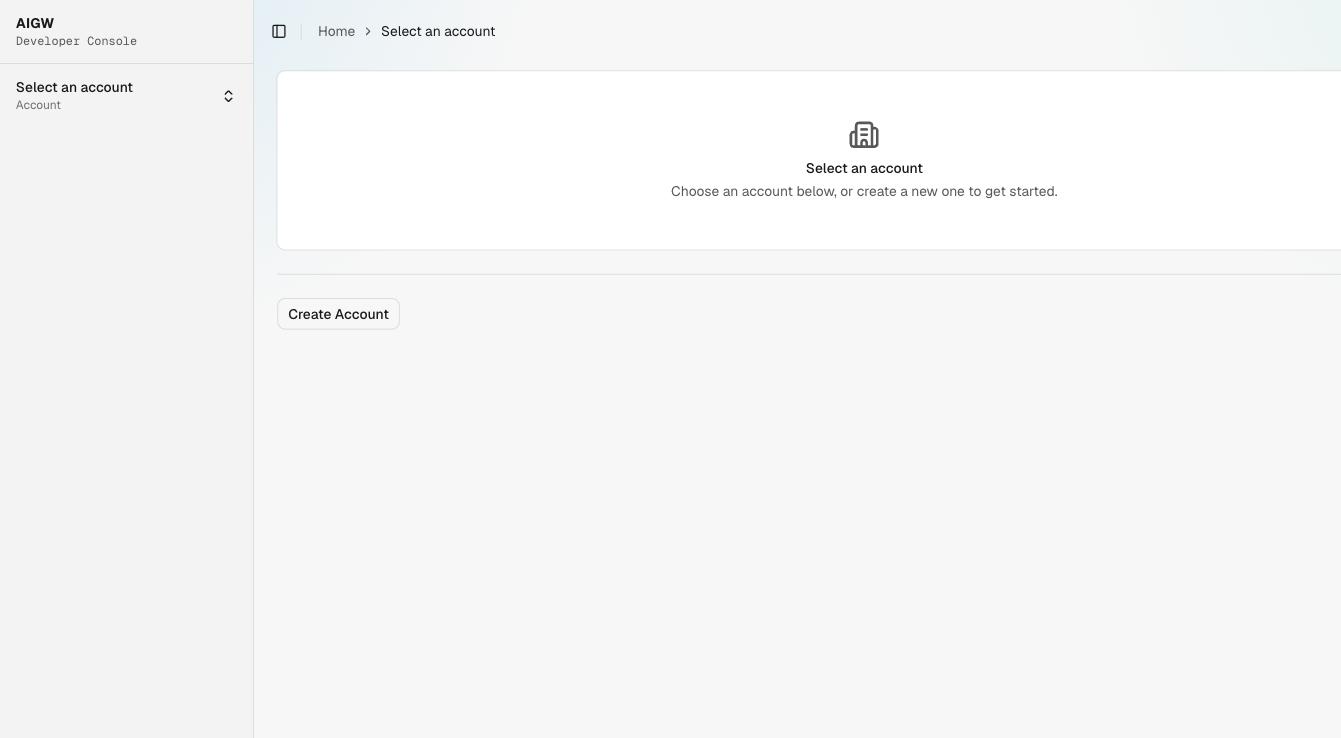
1. Account
An AccountAccountThe top-level AIGW tenant. It owns Projects, team membership, enabled identity providers, billing, and API keys. is the top-level AIGW tenant. It contains ProjectsProjectThe isolation boundary for an integration. It holds Resources, agents and agent policy, end users, and Proxy clients. and account-level administration.
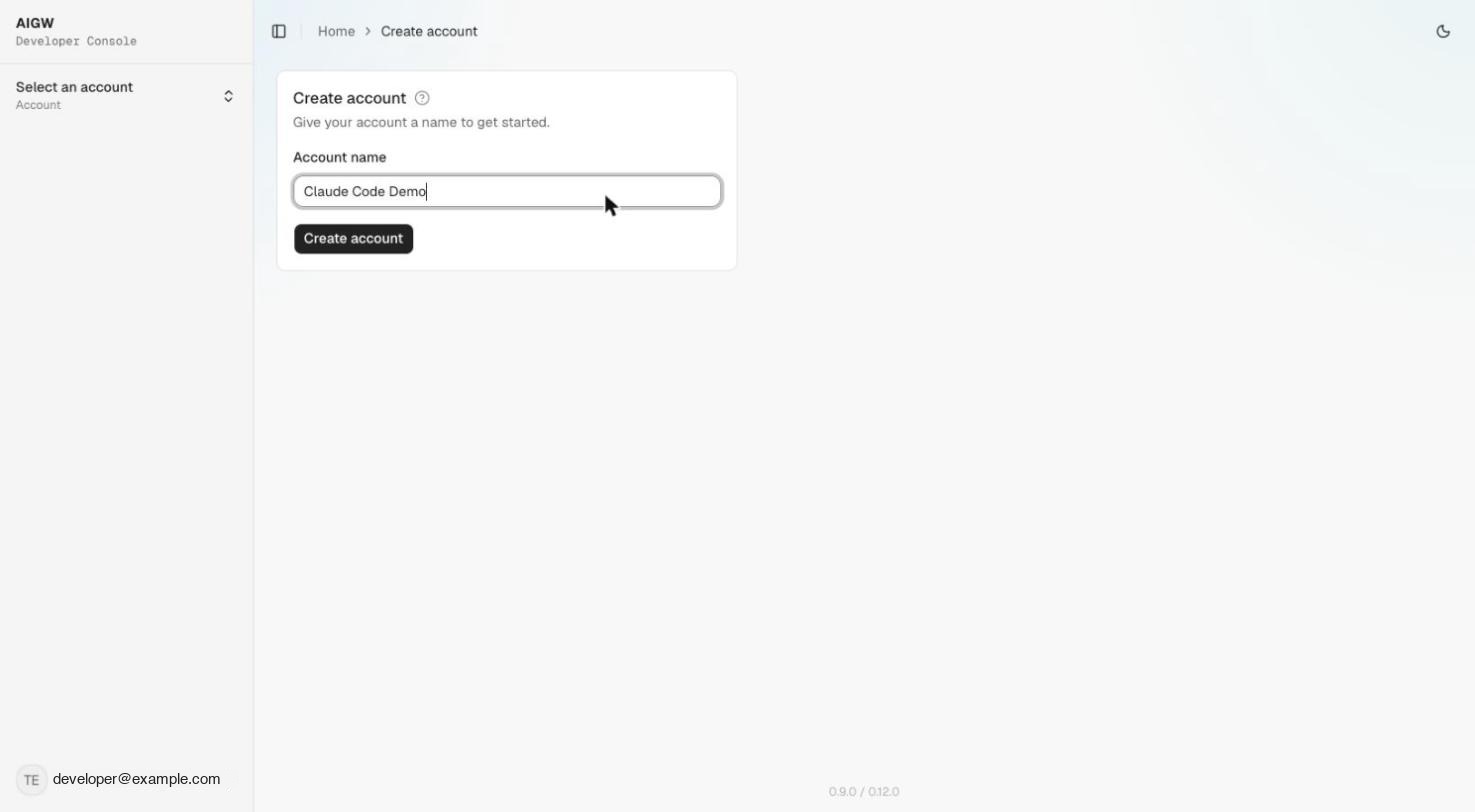
| Field | What it is | How to choose it | Where it is used |
|---|---|---|---|
| Account name | Friendly tenant/organization name | Use the MCP provider or merchant organization name | Console identification and account administration |
Ownership: if a third-party MCP provider operates the integration, the provider normally owns this AIGW Account. If the merchant operates its own MCP/UCP, the merchant normally owns it.
2. Project
A Project isolates the integration's ResourcesResourceThe downstream system registered in a Project. Its kind (Token exchange or OAuth client) decides the role AIGW plays., Agents, End Users, and Proxy clientsProxy clientThe server-side credential (client ID and secret) the MCP/UCP service uses to authenticate itself to AIGW. Never give it to an agent..
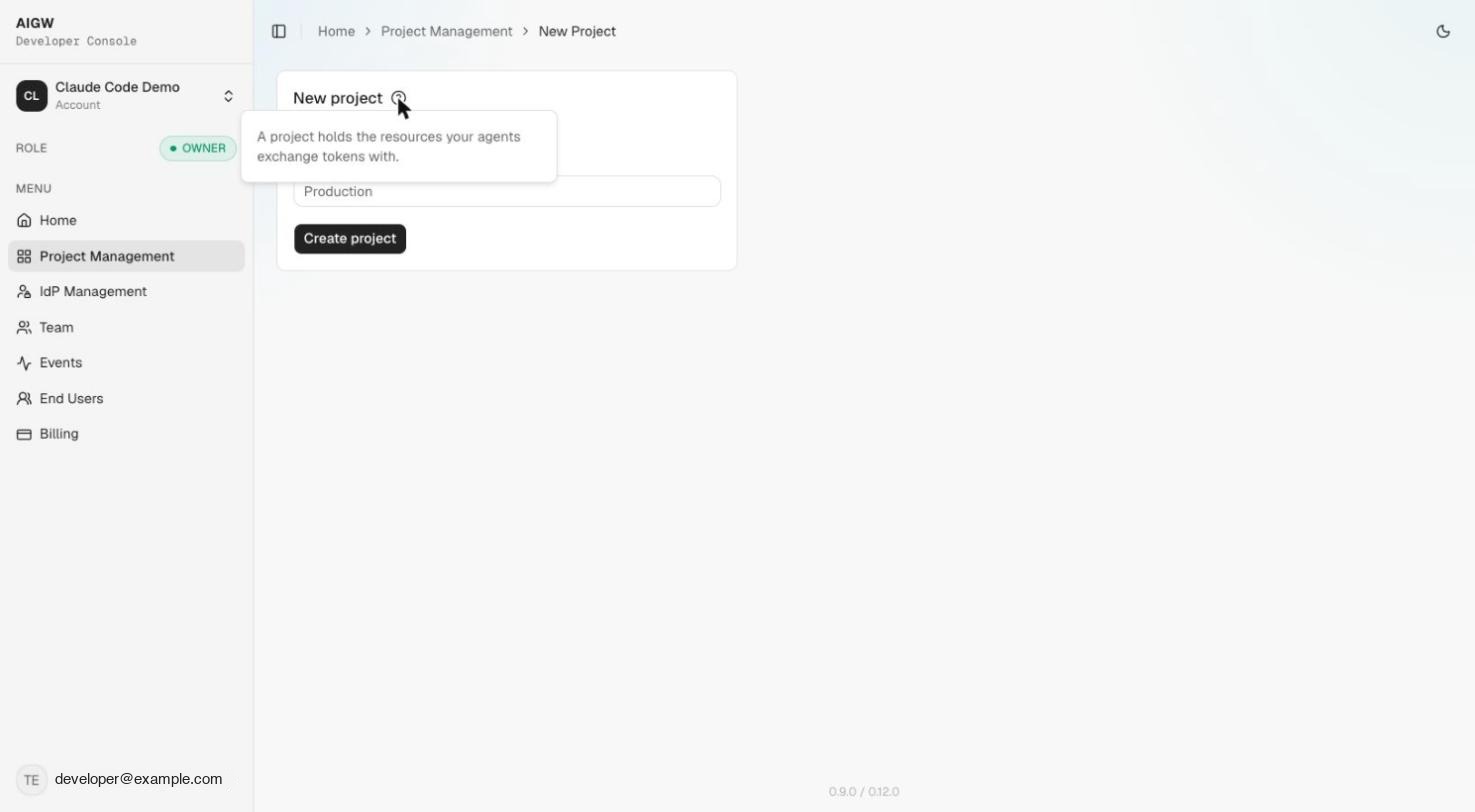
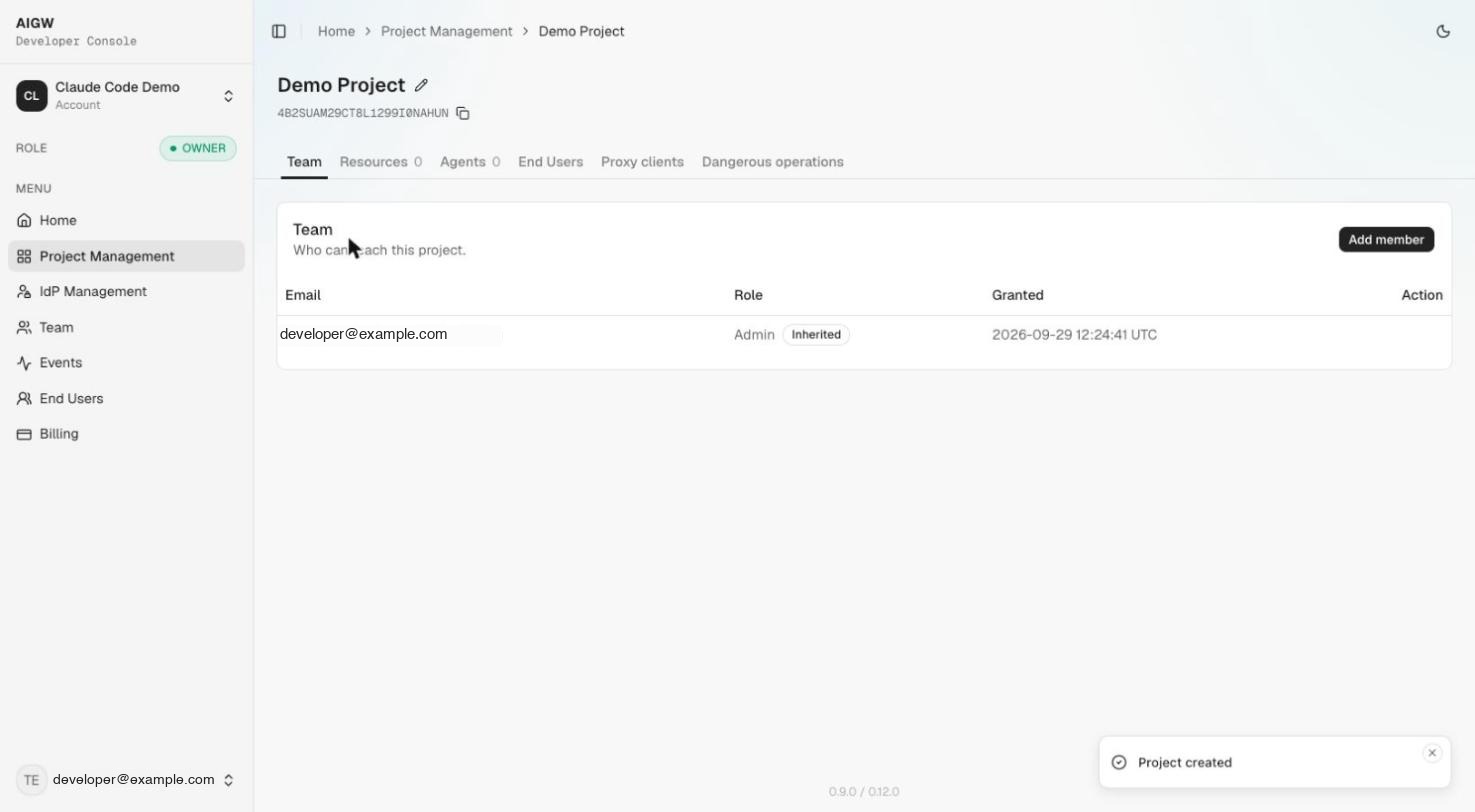
Go to Project Management → New Project. The only input is the Project name; you can rename it later.
| Field | What it is | How to choose it | Where it is used |
|---|---|---|---|
| Project name | Human-readable integration/environment name | Prefer merchant + integration + environment, e.g. Acme MCP - Prod | Console organization |
The user AIGW token and Proxy tokenProxy tokenA short-lived token the MCP/UCP service gets with its Proxy client, sent as X-Proxy-Token when redeeming a merchant token. used in credential redemptionCredential redemptionPOST /api/credentials/token: the MCP/UCP service trades the user's AIGW token plus its Proxy token for the merchant access token. must belong to the same Project. Do not create the MCP/UCP server credential in an unrelated Project.
3. Register a Resource
A Resource describes the protected/downstream system and determines which AIGW integration model is used.
Open Project → Resources → Register resource. For a Token exchange Resource the wizard has four steps: Identity & endpoint → Authentication → Exchange & scopes → Reference.
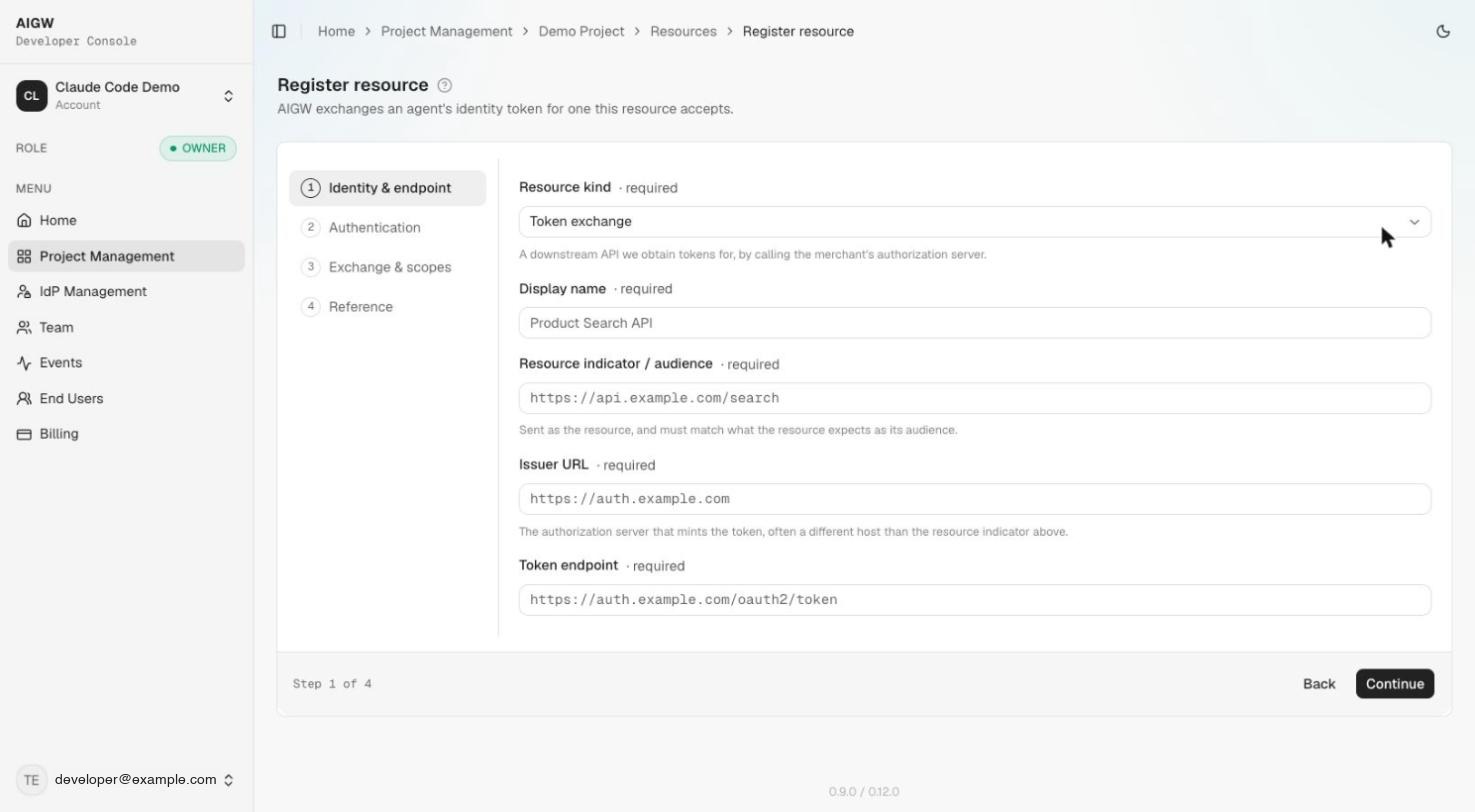
3.1 Choose Resource kind
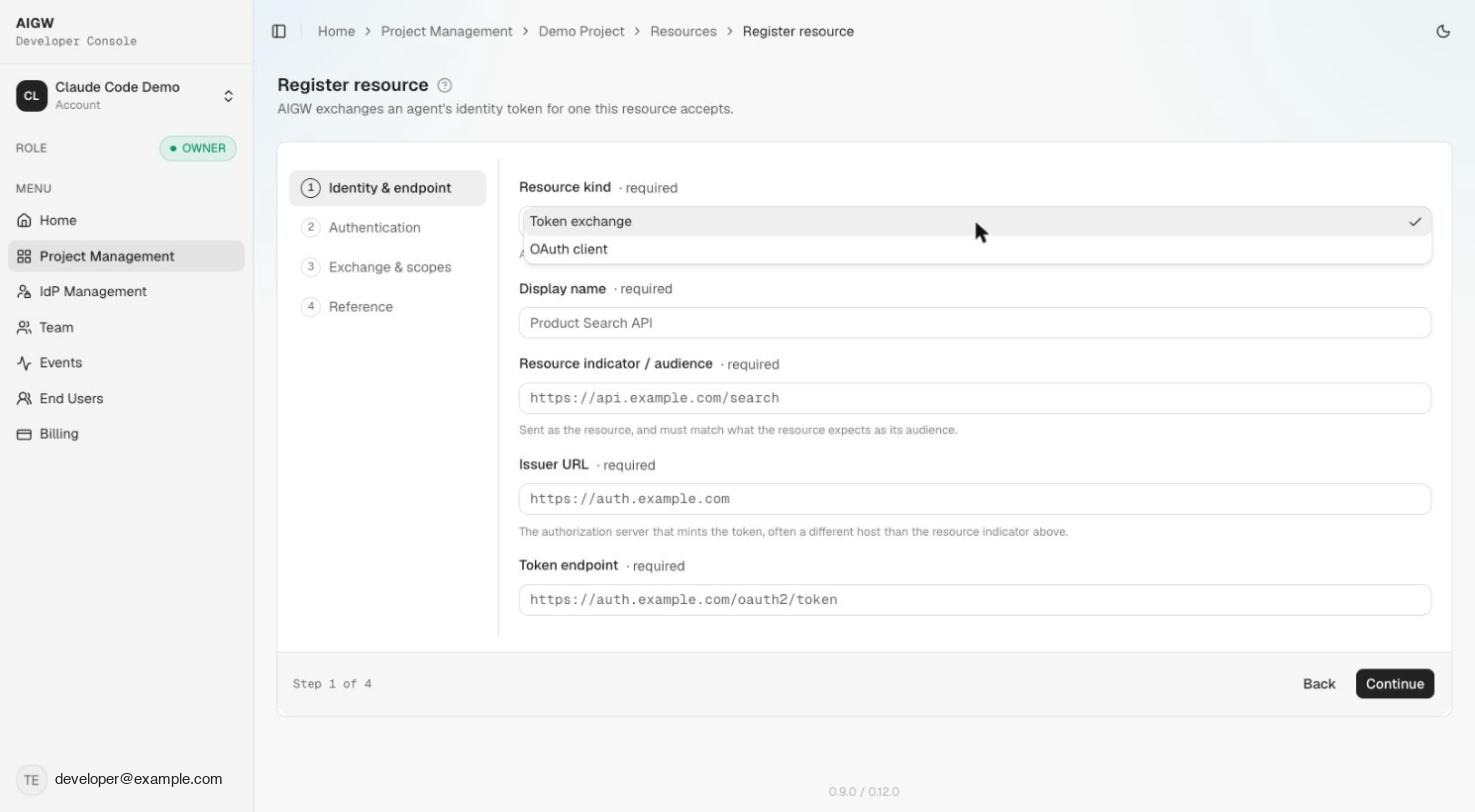
| Option | What it means | Use it when | What AIGW does |
|---|---|---|---|
| Token exchange | The protected merchant system has its own Authorization Server and AIGW needs a merchant credential | Typical agent + MCP/UCP delegated-access scenario | Authenticates/authorizes the user and obtains/caches a merchant access token for downstream use |
| OAuth client | An application uses AIGW directly for human sign-in | Traditional web/app authentication where AIGW is the IdP/authorization service | Creates OAuth client configuration so the application can redirect users to AIGW and receive AIGW-issued identity/tokens |
Choose Token exchange. The rest of this page describes that Resource kind.
The two kinds solve different problems. Token exchange is not simply a different OAuth client authentication method; it changes AIGW's role in the architecture. See Resources for the conceptual comparison.
3.2 Identity & endpoint (wizard step 1)
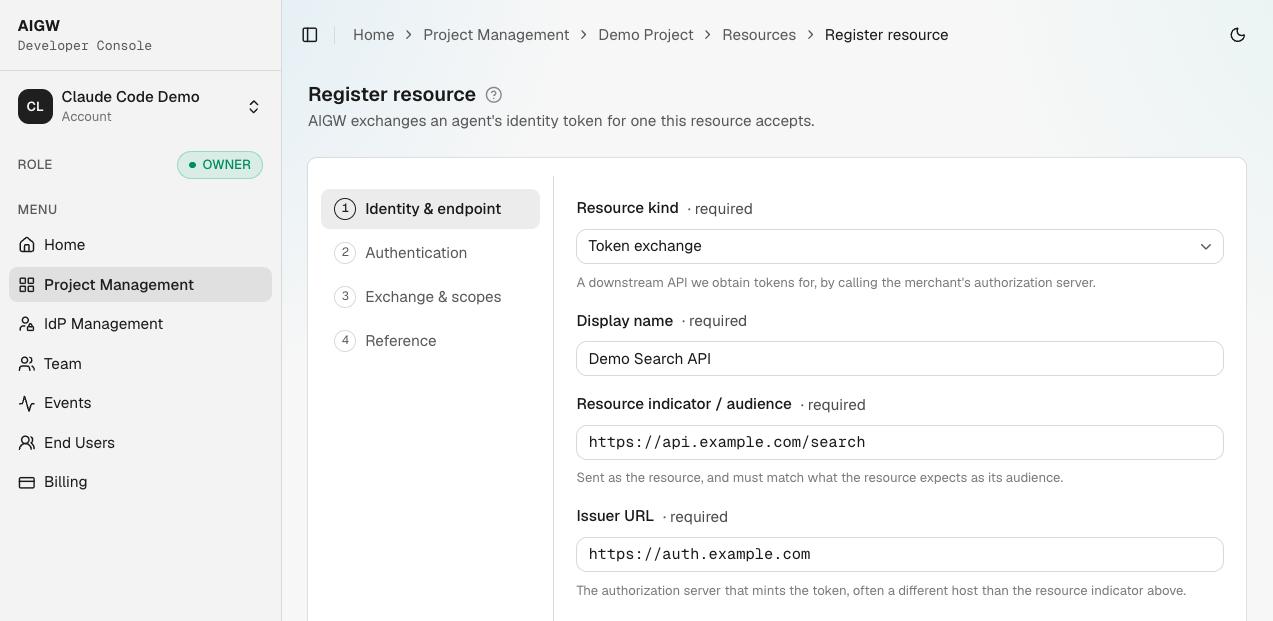
| Field | What it is | Where to get it | How AIGW uses it | Example |
|---|---|---|---|---|
| Display name | Friendly name for this Resource | Choose it yourself | Console/user-facing identification | Acme Search API |
| Resource indicator / audience | Exact identifier for the downstream protected resource | Merchant API/IAM owner | Selects the downstream Resource during credential redemption and represents the intended merchant audience | https://api.example.com/search |
| Issuer URL | Issuer identifier of the merchant Authorization Server (often a different host than the Resource indicator) | Merchant OAuth/OIDC metadata or IAM admin | Establishes which merchant AS AIGW communicates with / targets | https://id.example.com/realms/merchant |
| Token endpoint | OAuth token endpoint of the merchant AS | Merchant OAuth/OIDC metadata or IAM admin | Endpoint AIGW calls for the configured grant/exchange | https://id.example.com/realms/merchant/protocol/openid-connect/token |
Resource indicatorResource indicatorThe exact identifier (audience) of the merchant API. The MCP/UCP service sends the same value when redeeming the merchant token. rule: treat this as an exact protocol identifier. Later, the MCP/UCP backend sends the same value in POST /api/credentials/token. A display-name variation or different URL is not interchangeable.
3.3 Authentication (wizard step 2): choose how AIGW obtains the merchant token
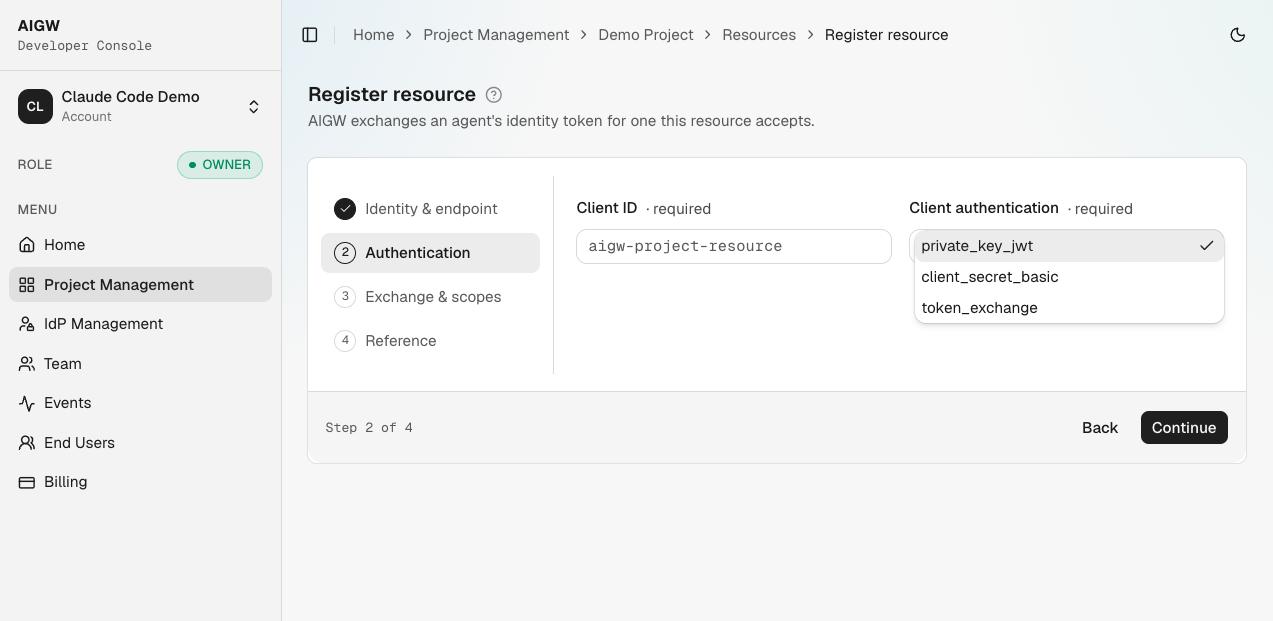
Step 2 asks for the Client ID (see 3.4) and a Client authentication method. The dropdown values are private_key_jwt (default), client_secret_basic, and token_exchange. The backend notes available for this documentation show the following implementation state:
| Choice | What it does | Merchant-side requirement | Implementation state |
|---|---|---|---|
Private Key JWT (private_key_jwt) | AIGW uses an RFC 7523 JWT bearer user assertion plus private_key_jwt client authentication | Merchant AS must trust the per-resource AIGW issuer/JWKS and have the AIGW client configured for JWT client authentication | Implemented; used by the supplied Keycloak setup |
Token Exchange (token_exchange) | AIGW uses RFC 8693 with an external AIGW-signed subject token | Merchant AS must support/configure the corresponding token-exchange flow and trust the AIGW assertion | Implemented in the supplied backend |
Client Secret Basic (client_secret_basic) | Authenticates AIGW with a client ID/secret over HTTP Basic | Merchant AS client needs secret-based client authentication | The Console now collects a Client secret for this option, but the backend notes mark it as not implemented; verify end to end before relying on it |
Do not assume that an option is production-ready merely because it appears in the UI. The implementation notes mark Client Secret Basic as unimplemented, even though the wizard now accepts a client secret for it.
3.4 Client ID
The Client ID identifies AIGW to the merchant Authorization Server.
| Question | Answer |
|---|---|
| Who creates it? | The merchant IAM administrator creates/registers the client representing AIGW. |
| Where do I get it? | From the merchant Authorization Server's client/application configuration. |
| What do I enter in AIGW? | The exact same Client ID configured at the merchant AS. |
| What is it used for? | Merchant AS client identification; with private_key_jwt, the AIGW client assertion uses the client identity when authenticating. |
Do not invent a second, unrelated Client ID in AIGW. The value must exactly match the client registered at the merchant authorization server.
3.5 Exchange & scopes (wizard step 3): identity providers and scopes
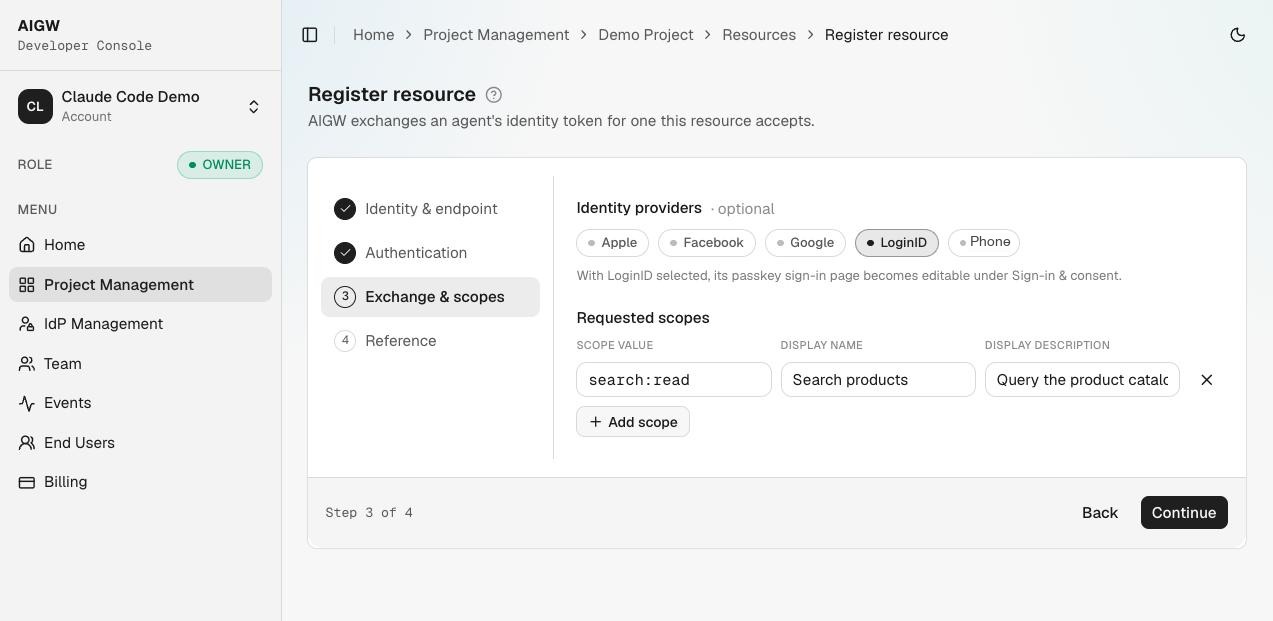
Identity providers (optional) determine how the human user can authenticate to AIGW for this Resource. Only providers enabled at the Account level are listed. If you select LoginID, its passkeyPasskeyA phishing-resistant FIDO2 credential stored on the user's device, offered through the LoginID identity provider. sign-in page becomes editable under Sign-in & consent. See Identity providers.
Each scope describes permission requested for the Resource.
| Scope field | What it is | Where it comes from / how to choose it | How it is used |
|---|---|---|---|
| Scope value | Protocol value such as search:read | Must align with permissions recognized by the merchant API/AS | Sent/represented as requested authorization |
| Display name | Human-readable permission name | Write for the user, not the protocol | Consent UI |
| Description | Explanation of what the permission allows | Write a concise, specific explanation | Consent UI when descriptions are enabled |
The merchant authorization server must recognize every scope value. A display name in AIGW does not create a merchant-side permission.
The Resource is created when Continue is clicked on step 3, and a signing keySigning keyA per-Resource ES256 key AIGW uses to sign assertions sent to the merchant authorization server, published at the Resource JWKS URL. is generated automatically at the same time. Step 4 is a Reference/result screen rather than another creation step.
4. Understand the Resource Reference screen
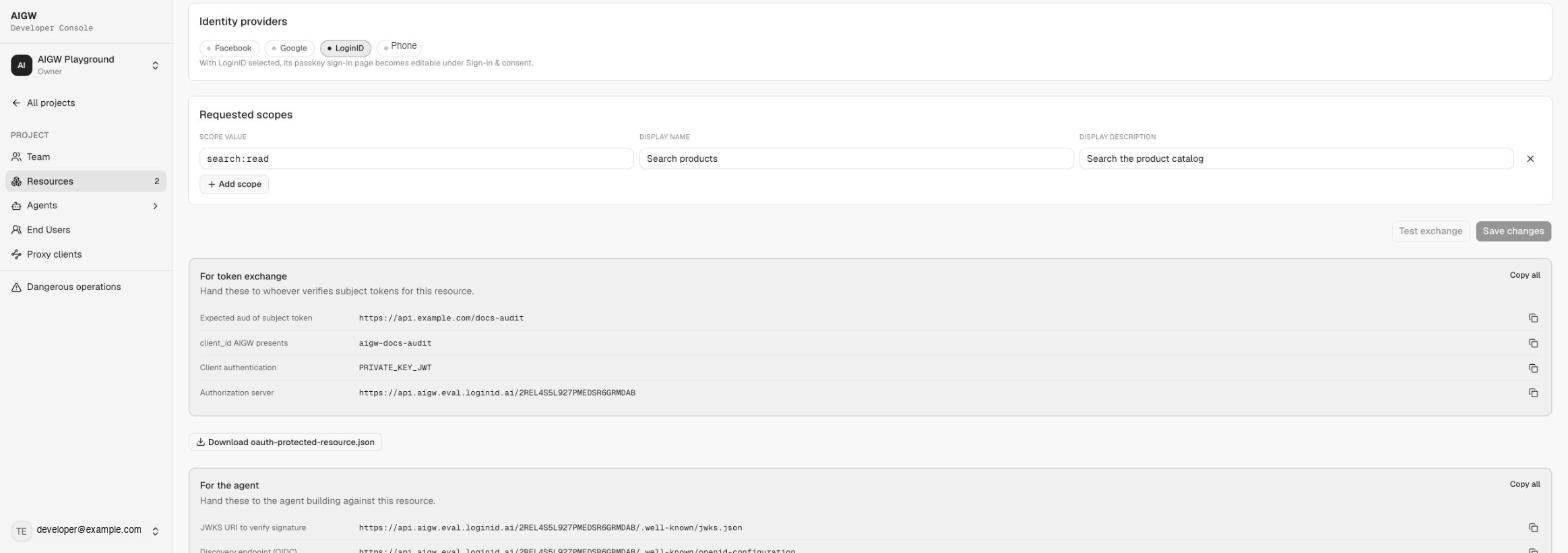
Do not treat the Reference page as a confirmation screen you can ignore. It contains integration outputs that other components need. The same values stay available at the bottom of the Resource's Configuration tab. The page has two groups, each with Copy all:
For token exchange — hand these to whoever verifies subject tokens for this Resource (normally the merchant IAM team):
| AIGW output | What it is | What to do with it |
|---|---|---|
Expected aud of subject token | The configured Resource indicator | Merchant AS expects this audience; the MCP/UCP backend sends the exact value during credential redemption |
client_id AIGW presents | The Client ID you entered | Must match the client registered at the merchant AS |
| Client authentication | Selected method, e.g. PRIVATE_KEY_JWT | Merchant AS client must be configured for the same method |
| Authorization server | Per-resource AIGW issuer, https://api.aigw.eval.loginid.ai/<RESOURCE_ID> | Merchant IAM trusts it as the assertion issuer; MCP/UCP lists it in Protected Resource Metadata |
| Download oauth-protected-resource.json | Ready-made Protected Resource Metadata document | Starting point for your MCP/UCP /.well-known/oauth-protected-resource (see Protect your endpoint) |
For the agent — hand these to the agent developer:
| AIGW output | Value pattern |
|---|---|
| JWKS URI to verify signature | https://api.aigw.eval.loginid.ai/<RESOURCE_ID>/.well-known/jwks.json (per-resource; also what merchant IAM uses to verify AIGW assertions) |
| Discovery endpoint (OIDC) | https://api.aigw.eval.loginid.ai/<RESOURCE_ID>/.well-known/openid-configuration |
| Discovery endpoint | https://api.aigw.eval.loginid.ai/<RESOURCE_ID>/.well-known/oauth-authorization-server |
| OAuth2 authorization endpoint (GET) | https://api.aigw.eval.loginid.ai/<RESOURCE_ID>/oauth2/auth |
| OAuth2 token endpoint (POST) | https://core.api.aigw.eval.loginid.ai/oauth2/token (core, shared by all Resources) |
The Reference step also shows a Test exchange button; it currently produces no visible result.
Merchant handoff package
If a different team or company operates the merchant IAM, send them at least:
AIGW per-resource issuer / Authorization Server URL
AIGW per-resource JWKS URL
AIGW Client ID configured for the merchant AS
Requested scope values
Merchant Resource indicator
Selected grant/authentication method
They should use these values with the Merchant Authorization Server guide.
5. Create the MCP/UCP server credential
Open Project → Proxy clients → Generate new client.
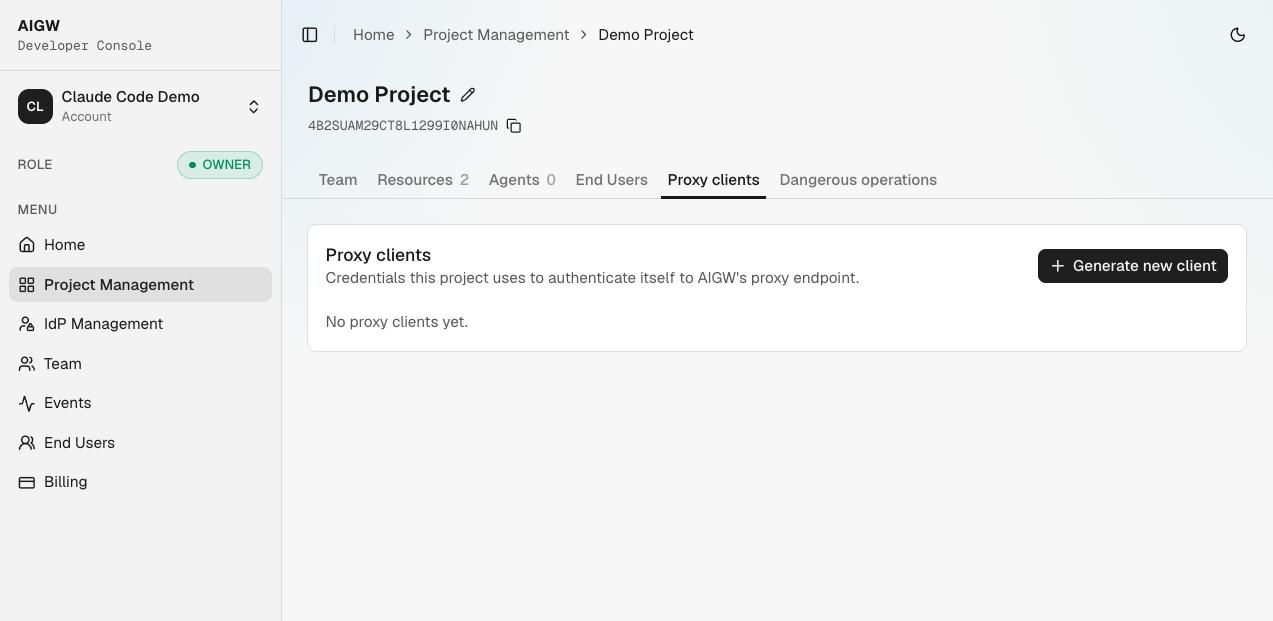
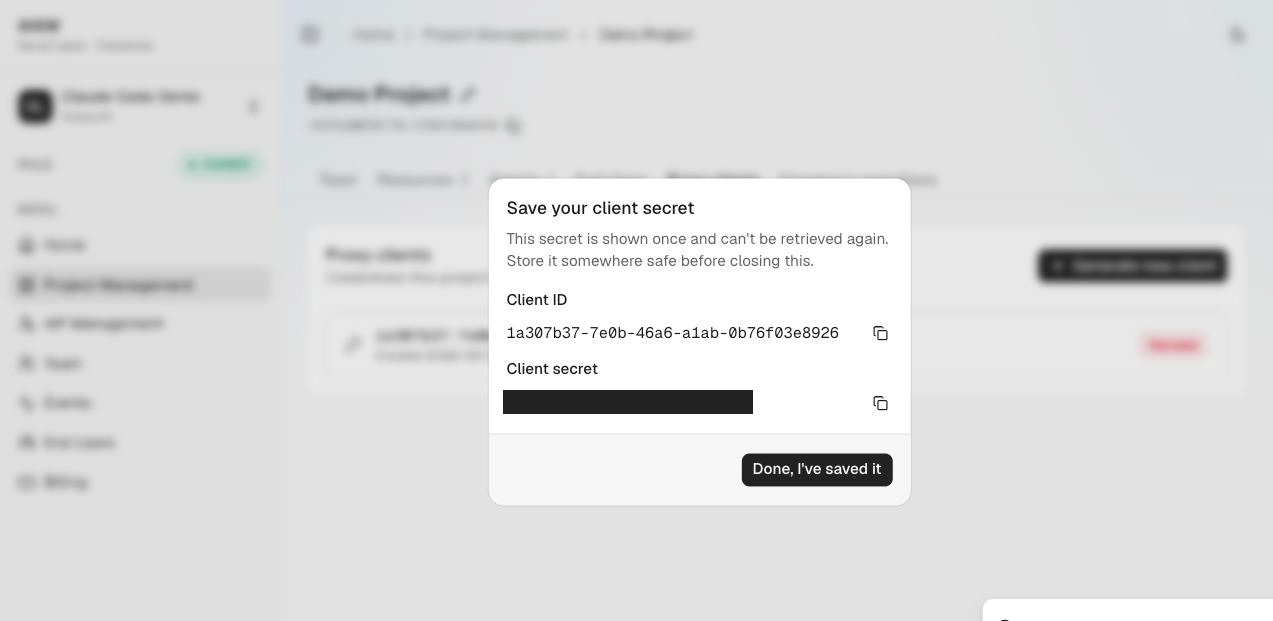
The Console calls this a Proxy client. Functionally, it is the MCP/UCP backend's machine credential for authenticating to AIGW.
| AIGW output | What it is | Where to store it | How it is used |
|---|---|---|---|
| Proxy Client ID | OAuth client identifier for the MCP/UCP backend | Server configuration/secret store | Used with the secret in client_credentials |
| Proxy Client Secret | Secret proving the backend's identity | Secret manager; save immediately because the UI shows it once | Used to obtain a short-lived Proxy token |
| Proxy token | Returned later by AIGW's token endpoint | Backend memory/cache according to its lifetime | Sent as X-Proxy-Token when redeeming the merchant credential |
Example:
AIGW_PROXY_CLIENT_ID=...
AIGW_PROXY_CLIENT_SECRET=...
Never put these values in JavaScript shipped to a browser, and never return them to an agent.
6. Decide the agent policy
Open Project → Agents → Approval rulesApproval rulesThe part of Agent policy that sets Approve, Hold, or Reject for unverified agents and for each kind of agent proof.. A Project with no rules uses the system default, which approves every agent automatically. If you want to review new agents before they can reach the Resource, set Unverified agents (and any proof types you don't trust) to Hold; held agents appear under Agents → Pending. Resources can override the Project rules. See Agent policy.
7. Optional sign-in and consent configuration
Each Resource has a Sign-in & consent area.
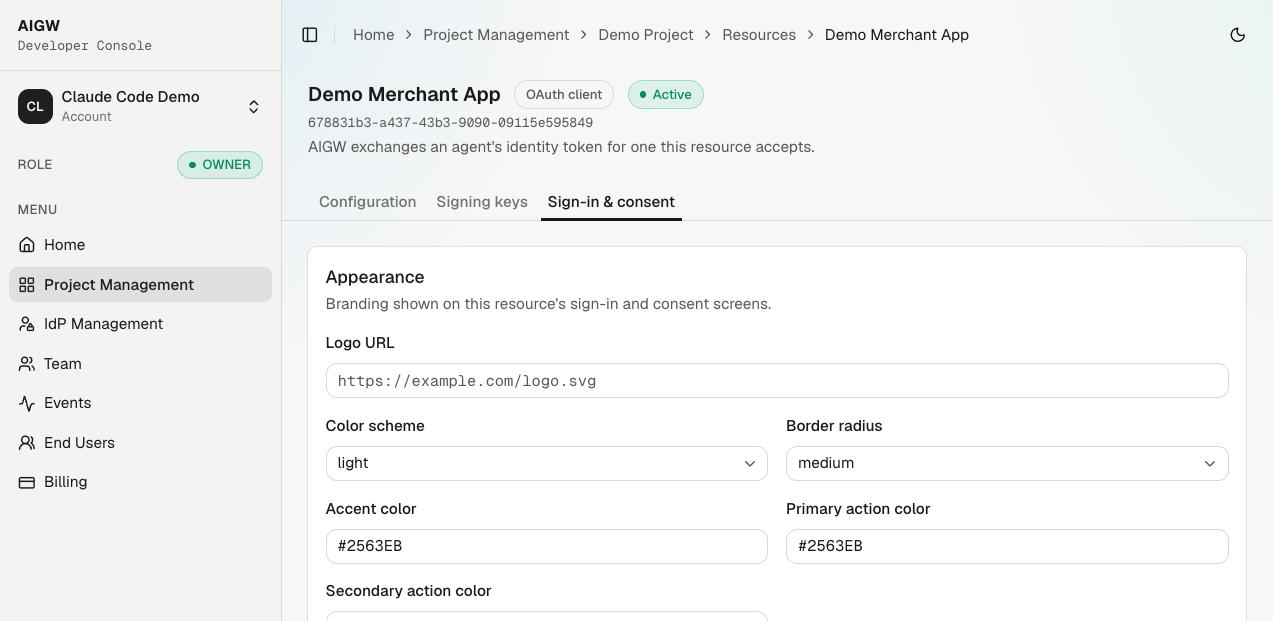
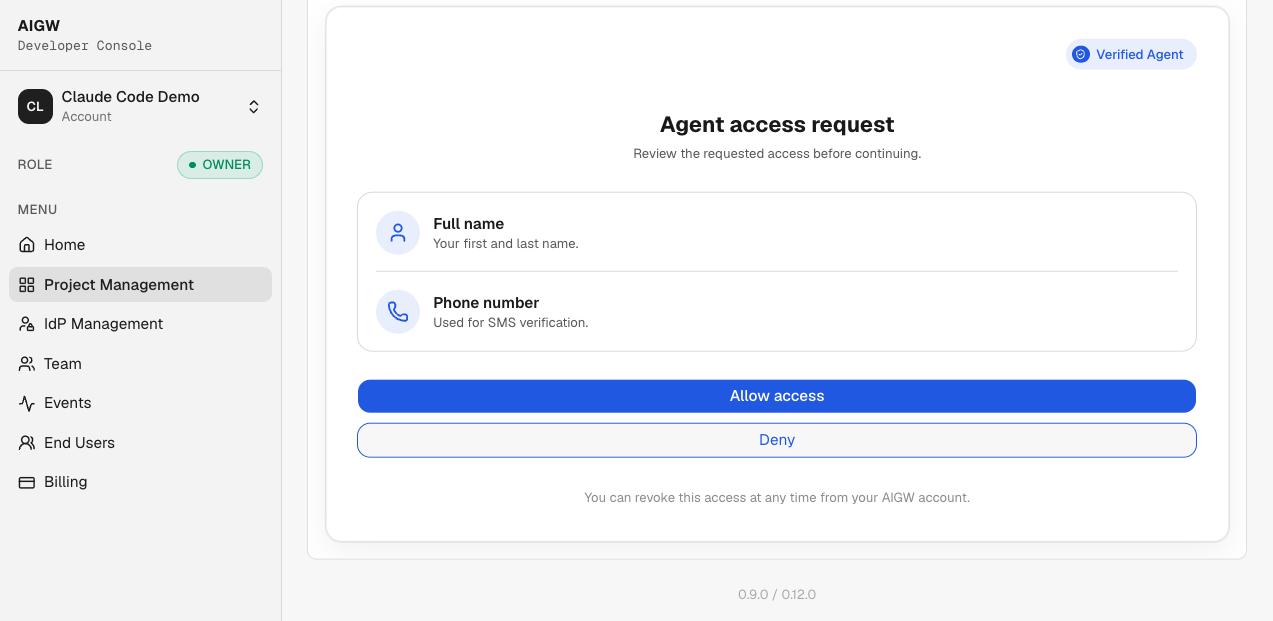
These settings change the human authorization experience rather than the MCP/UCP HTTP protocol. Use them to control branding (logo, colors, border radius), the one-time-code fallback, scope descriptions, whether verified-agent information is shown, and the sign-in/consent screen text. See Identity providers.
When changing an option, ask two questions: what will the user see? and does it change protocol behavior or only presentation? For the observed settings here, treat them as UX/consent configuration unless the product explicitly documents otherwise.
8. Pre-code verification checklist
Before writing MCP/UCP integration code, verify all handoffs:
| Check | Owner | Expected result |
|---|---|---|
| Resource exists in the intended Project | MCP/UCP operator | Correct Project/Resource visible in Console |
| Resource kind is Token exchange | MCP/UCP operator | Agent/MCP delegated-access model selected |
| Resource indicator is agreed | Merchant + MCP/UCP operator | Exact same value will be used during redemption |
| Issuer/token endpoint are correct | Merchant IAM | Point to the intended merchant AS/environment |
| AIGW Client ID matches merchant client | Merchant IAM + MCP/UCP operator | Same client identity on both sides |
| Authentication method is supported/configured | Merchant IAM + MCP/UCP operator | Both AIGW and merchant AS expect the same flow |
| Scope values exist on merchant side | Merchant IAM | Merchant AS/API recognizes them |
| Merchant trusts AIGW issuer/JWKS | Merchant IAM | AIGW assertions can be verified |
| Proxy Client ID/Secret saved | MCP/UCP operator | Backend can obtain Proxy token |
| Agent policy matches intent | MCP/UCP operator | New agents are approved automatically or held for review, as intended |
Then continue to Protect your MCP / UCP endpoint.